
In India, mobile devices accounted for 67.53% of web traffic in June 2026, compared with 32.47% for desktop, according to StatCounter. For businesses that still treat mobile optimization as a secondary task, that gap is difficult to ignore.
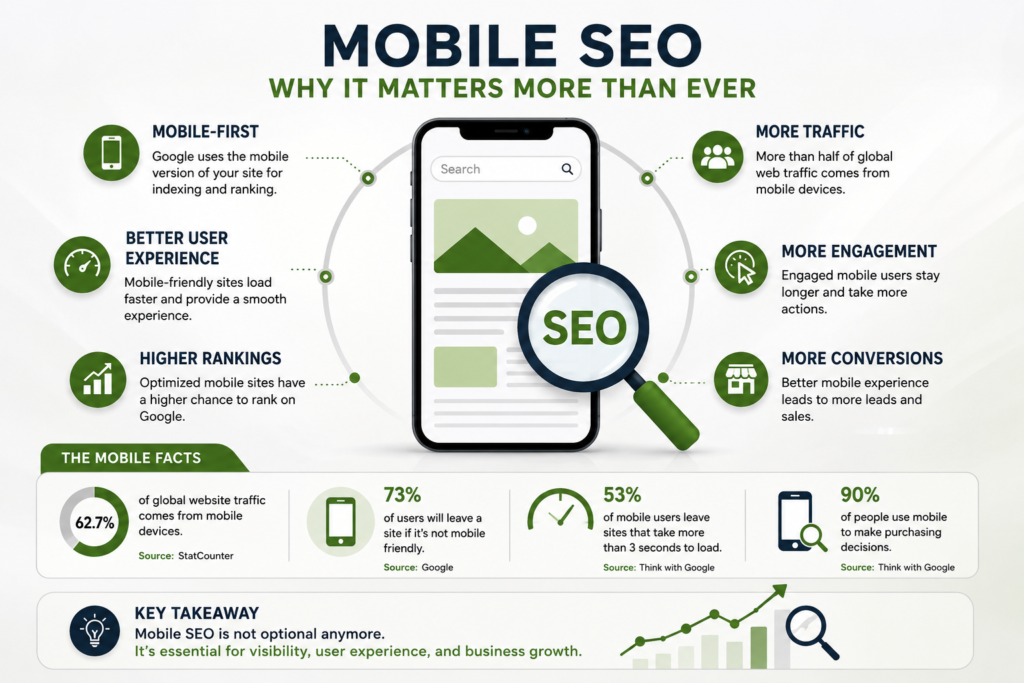
Google also uses the mobile version of a website for indexing and ranking, making mobile SEO a core part of how your pages are evaluated in Search.
Why Mobile SEO Matters for Your Business
Mobile SEO is not simply about making a desktop website smaller. It means making sure visitors can find, load, read, navigate, and interact with your website comfortably on a phone.
Google’s own Search documentation recommends that websites display properly on all screen sizes and load quickly on mobile devices.
For an Indian business, this is especially important because customers often search for products, services, locations, reviews, prices, and contact information while using their phones.
| Mobile Issue | What Users Experience | SEO/Business Impact |
|---|---|---|
| Slow loading | Visitors wait too long | Higher abandonment risk |
| Small text | Difficult reading | Poor usability |
| Poor navigation | Users struggle to find information | Fewer conversions |
| Intrusive pop-ups | Content is blocked | Frustrating experience |
| Missing mobile content | Important information disappears | Indexing limitations |
| Poor Core Web Vitals | Slow or unstable interactions | Weaker page experience |
The goal is not to optimize for Google alone. A mobile experience that makes it easier for people to complete an action is more valuable than chasing a perfect technical score.
Google Uses Mobile-First Indexing
Google’s mobile-first indexing means Google primarily uses the mobile version of your website’s content for indexing and ranking.
This creates an important rule: your mobile website should not be a stripped-down version of your desktop site.
If your desktop page contains detailed service information, internal links, images, headings, or structured data but the mobile version removes them, Google may not have the same information available when evaluating the page. Google specifically recommends keeping the primary content equivalent across mobile and desktop versions.
What to Check
Your mobile and desktop versions should generally have:
- The same primary content
- The same important headings
- Equivalent metadata
- The same structured data
- Accessible images and alt text
- Crawlable resources
- The same important internal links
Responsive web design is Google’s recommended approach because it allows the same URL and HTML to adapt to different screen sizes.
For businesses working with RankDrift, this is also where SEO and website development need to work together. Optimizing keywords while leaving important mobile content inaccessible creates an unnecessary gap between SEO strategy and website performance.
Speed Is a Major Part of Mobile SEO
Mobile users are often dealing with smaller screens, variable network conditions, and less processing power than desktop users. A visually impressive website that takes too long to become usable can lose visitors before they reach your offer.
Google’s Core Web Vitals provide three important measurements:
| Metric | What It Measures | Good Target |
|---|---|---|
| LCP | Loading performance | ≤ 2.5 seconds |
| INP | Interaction responsiveness | ≤ 200 ms |
| CLS | Visual stability | ≤ 0.1 |
These are Google’s recommended thresholds for a good user experience.
You do not need to obsess over achieving a perfect score. Google explicitly says that good Core Web Vitals alone do not guarantee top rankings because relevance and overall page quality still matter.
Instead, focus on the problems that directly affect visitors.
Practical Ways to Improve Mobile Speed
Start by compressing large images and serving them in modern formats where appropriate. Remove unnecessary scripts, reduce third-party tools, enable browser caching, and avoid loading resources that users do not immediately need.
You should also test important landing pages rather than checking only your homepage. A slow service page can hurt leads even when the homepage performs well.
Google recommends tools such as PageSpeed Insights, Lighthouse, and Search Console for evaluating performance and identifying opportunities.
Make Mobile Navigation Simple
A visitor should not need to pinch, zoom, or hunt through multiple menus to understand what your business offers.
Keep your navigation simple and make important actions easy to reach. For service businesses, that could mean placing Call, WhatsApp, Get Quote, Book Appointment, or Contact options where users can easily find them.
The same principle applies to content. Use short paragraphs, descriptive headings, clear buttons, and enough spacing between clickable elements.
Avoid placing important information behind interactions that Google cannot easily access. Google specifically warns against loading primary content only after users click, swipe, or type because Googlebot may not trigger those interactions.
Optimize Mobile Content for Search Intent
Mobile SEO does not mean stuffing your content with keywords.
Your page should answer the reason behind the search as quickly as possible. If someone searches for “digital marketing agency in Delhi,” they probably want to understand your services, location, expertise, proof, pricing approach, and how to contact you.
Give them that information without forcing them through unnecessary paragraphs.
Google’s Search Essentials recommends creating helpful, reliable, people-first content and using words that people actually search for in prominent parts of the page.
A strong mobile content structure could look like:
Search query → Clear answer → Supporting details → Proof → CTA
This works for both users and search engines because the page has a clear purpose.
Don’t Ignore Mobile Local SEO
For businesses serving specific cities or areas, mobile SEO and Local SEO overlap heavily.
Someone searching for a service on their phone may be ready to call, visit a location, request directions, or book an appointment. Your website should therefore make location and contact information obvious.
Keep your business name, address, phone number, service areas, and important local information consistent. Your Google Business Profile should also accurately represent your business.
For businesses targeting multiple locations, avoid creating dozens of thin pages that simply replace one city name with another. Each useful location page should provide genuinely relevant information for that area.
Mobile SEO and AI Search
Mobile optimization also matters as search behaviour changes.
Users increasingly interact with search through conversational queries and AI-powered interfaces. That makes clear, well-structured information even more valuable.
Instead of writing pages designed around repetitive keywords, organize information around real questions customers ask. Use descriptive headings, concise answers, supporting evidence, FAQs, and structured information where appropriate.
Google’s current guidance continues to emphasize helpful, reliable, people-first content rather than content created primarily to manipulate rankings.
For RankDrift, this is an important distinction: mobile SEO, traditional SEO, and AI-search visibility should support the same goal—making your business information easy to understand and useful to the customer.
Common Mobile SEO Mistakes
Treating Mobile as an Afterthought
Testing a website only on a desktop screen can hide serious mobile problems. Always check your key pages on actual phones and different screen sizes.
Removing Content From Mobile Pages
A shorter mobile page may look cleaner, but removing important ranking content can create problems with Google’s mobile-first indexing.
Using Too Many Pop-Ups
Pop-ups can be useful when carefully implemented, but large overlays that block the main content create a poor mobile experience. Google has specifically warned against intrusive interstitials that make content difficult to access.
Focusing Only on Speed Scores
A 100/100 PageSpeed score does not automatically create a high-ranking page. Google states that Core Web Vitals are only part of the broader page-experience picture.
Forgetting Conversion Elements
SEO traffic has little business value if mobile visitors cannot easily contact you, request a quote, make a purchase, or book a service.
Mobile SEO Checklist for Businesses
Use this quick checklist when reviewing your website:
- Test your most important pages on mobile devices.
- Check Core Web Vitals in Google Search Console.
- Compress large images and unnecessary assets.
- Make navigation simple and thumb-friendly.
- Keep important content available on mobile.
- Use clear titles and headings.
- Make phone, contact, and CTA buttons easy to find.
- Check that Google can crawl your mobile resources.
- Review mobile structured data and metadata.
- Test important landing pages regularly after website changes.
Google’s current guidance recommends looking at mobile usability, Core Web Vitals, HTTPS, intrusive interstitials, and overall page experience together rather than treating one metric as the entire SEO strategy.
FAQ
Is mobile SEO still important in 2026?
Yes. Google uses the mobile version of websites for indexing and ranking, and mobile represents a major share of web usage in India.
Does mobile page speed affect SEO?
Page speed and Core Web Vitals contribute to Google’s broader page-experience evaluation. However, strong Core Web Vitals do not guarantee high rankings by themselves.
Should mobile and desktop content be identical?
Your mobile version should contain the same primary content and important information as the desktop version. Google specifically recommends equivalent content, headings, metadata, and structured data.
How can I check my mobile SEO?
Use Google Search Console, PageSpeed Insights, Lighthouse, and manual testing on real mobile devices. These tools can reveal performance, crawlability, and usability issues.
Can mobile SEO help local businesses?
Yes. A strong mobile experience makes it easier for local customers to find your services, contact you, request directions, or take another action directly from their phone.
The Bottom Line
Mobile SEO is no longer a separate optimization task you complete after desktop SEO. Your mobile experience is part of how Google understands, indexes, and evaluates your website.
If your business depends on organic traffic, start by fixing the mobile problems that affect real customers first speed, accessibility, content, navigation, and conversions. Then use the data from Search Console and performance tools to keep improving.
That practical approach is what turns mobile SEO from a technical checklist into a growth channel for your business with RankDrift.